How to Choose the Best Razer Gaming Accessories
-
June 05 , 2026
-
38
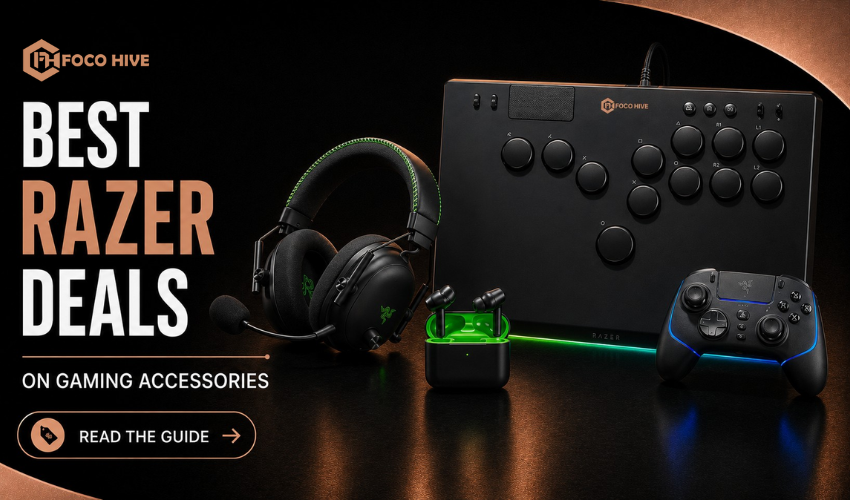
If you’re building a gaming setup, Razer is usually one of the first names that comes up. The brand is known for keyboards, mice, headsets, mousepads and a full ecosystem built around competitive gaming performance. But here’s the reality: not every Razer product is the right fit for every gamer. Some are built for esports-level performance, while others are more about comfort or aesthetics. This guide breaks down how to choose the right accessories based on what actually matters in real use.
Table of Contents
- Overview of Razer Gaming Accessories
- Key Categories You Should Know
- How to Choose a Razer Gaming Mouse
- How to Choose a Keyboard
- How to Choose a Headset
- Mousepads and Extra Accessories
- Performance vs Price Reality
- Best Setup Based on Gaming Style
- Final Buying Tips
- FAQs
1. Overview of Razer Gaming Accessories
Razer focuses heavily on competitive gaming performance, low input latency and deep customization through software. Most of its products are designed for PC gamers who care about speed, responsiveness and precision especially in FPS and esports titles. RGB lighting and design also play a big role in the overall ecosystem.
2. Key Categories You Should Know
Before choosing anything, it helps to understand the main product ecosystem. There are gaming mice, mechanical keyboards, headsets, mousepads, and even optional accessories that tie into the same software system. Each category has budget, mid-range, and pro-level options depending on how serious your gaming needs are.
3. How to Choose a Razer Gaming Mouse
The mouse is the most important part of any gaming setup. What really matters is not just DPI numbers, but how the mouse feels in your hand, how consistent the sensor is, and how fast it responds. Lighter mice tend to perform better in fast-paced FPS games because they reduce fatigue and improve aim control. Razer wireless models are widely used in competitive gaming because they offer very low latency and stable tracking. For FPS games, lighter symmetrical designs usually work best. MMO players often prefer models with extra side buttons, while casual gamers benefit from balanced ergonomic shapes.
4. How to Choose a Keyboard
Razer keyboards are built for speed, especially through optical switch technology in many of their models. What matters most is switch type, actuation speed, and layout size. Smaller keyboards like tenkeyless or compact layouts are often preferred for competitive gaming because they give more space for mouse movement. Full-size keyboards are better for users who also work on the same setup. Optical switches are especially popular for fast reaction games due to reduced input delay.
5. How to Choose a Gaming Headset
Audio clarity plays a much bigger role in gaming than most people expect. A good headset should give clear directional sound so you can hear movement and positioning accurately. Comfort is also important since long sessions can become tiring. Razer headsets often include spatial audio features that improve in-game awareness, especially in competitive shooters. FPS players should prioritize positional accuracy, while story-driven gamers may prefer immersive sound quality. Streamers should focus on microphone clarity above everything else.
6. Mousepads and Extra Accessories
Mousepads might seem minor, but they affect consistency more than most gamers realize. Razer offers cloth pads for control and hard surfaces for speed-focused gameplay. RGB mousepads are also available, mainly for aesthetic setups. Other accessories like wrist rests or docking stations improve comfort, but they don’t directly impact performance as much as core peripherals.
7. Performance vs Price Reality
This is where many buyers get confused. With Razer, you’re mainly paying for performance tuning, design, and ecosystem integration not budget pricing. The upside is strong esports-level responsiveness and premium build quality. The downside is that you often pay more compared to brands focused purely on value.
8. Best Setup Based on Gaming Style
For competitive FPS gamers, lightweight mice, optical keyboards, fast cloth mousepads, and low-latency headsets usually work best. Casual gamers benefit more from comfortable ergonomic mice, mid-range keyboards and balanced audio headsets. Streamers or content creators often prioritize comfort, microphone clarity, and visually appealing RGB setups.
9. Final Buying Tips
It’s not necessary to stay within a single brand ecosystem. Sometimes mixing peripherals gives better comfort and value. Focus more on mouse shape than specifications, and choose keyboard size based on your desk space. Spend more on core input devices like mouse and headset rather than RGB-heavy extras. Most importantly, avoid paying for features you won’t actually use.
10. FAQs
1. Are Razer accessories worth it?
Yes, they are a great choice for gaming performance and responsiveness.
2. What type of mouse is best for FPS gaming?
Lightweight mice are generally preferred for FPS games.
3. Are Razer keyboards durable?
Yes, modern Razer keyboards are built for durability and fast response times.
4. How does Razer compare to Logitech?
Razer focuses on gaming performance, while Logitech often offers better productivity value.
5. Do I need a full Razer ecosystem?
No, mixing brands can provide better comfort, features, and pricing.
Can I write you?
Sign up to get my weekly newsletter.